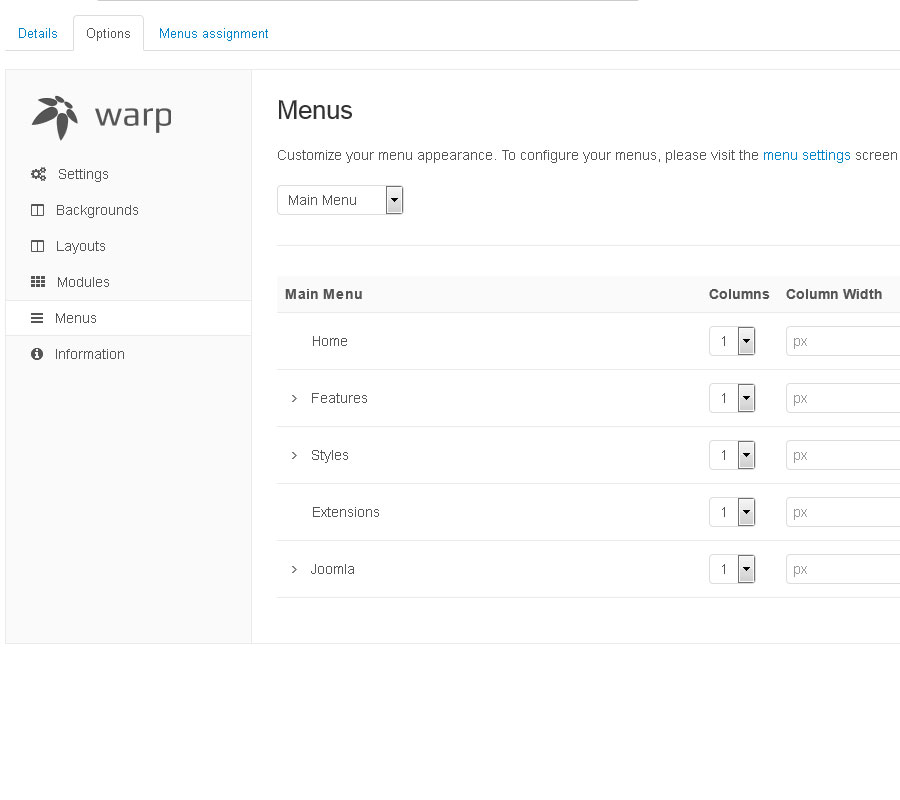
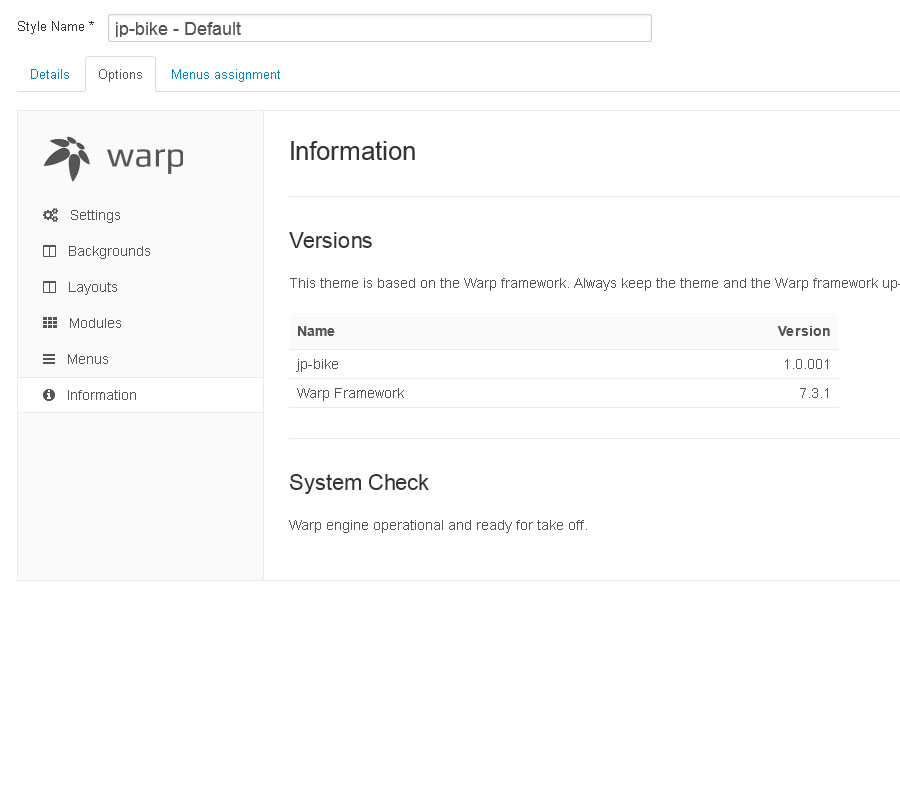
The general theme section allows you to control the behaviour and the overall appearance of your theme.

Style

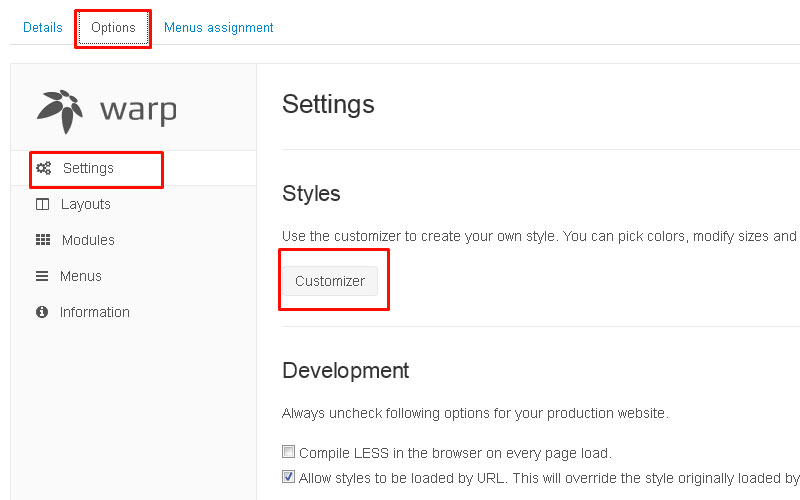
The style section contains the customizer. Hit the Customizer button to add your own style or to modify an existing style. After the customizer is loaded, you can easily customize colors, fonts, margins and even more settings of the theme. The customizer saves only the modified variables and automatically compiles them into CSS.


Screenshots

Demo Image Demo Image Demo Image Demo Image Demo Image Demo Image

Pick colors, select fonts and modify sizes without any CSS coding. See the changes in a real-time preview.

Demo Image Demo Image

Customizer Video Tutorial

Slideshow, Grid Module, Mosaic..

The "All-In-One Module" (roksprocket) includes a slideshow, mosaic and grid layout. The module provides unprecedented control, with a user friendly interface and extensive configuration options. The UI is powered by ajax, allowing for the dynamic display of data and controls based on variables, such as layout type or through one of the filters or content selectors.

Roksprocket

Layout Modes

RokSprocket is an expandable content display platform, with a diverse selection of prebuilt layout modes, that offer different structural and functional types to choose from. Each layout mode has its own selection of global options, as well as entry specific parameters, such as tags. Only options available for that layout option will display in the admin.

Roksprocket

Content Providers

RokSprocket supports several providers, such as Joomla and its very own Simple provider, which allows for content to be created and controlled entirely within RokSprocket. Each provider not only allows for the loading of the content items, but also specific data associated with that provider, such as a particular categorization type.

Roksprocket

Module Layout

module-layout

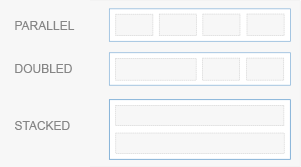
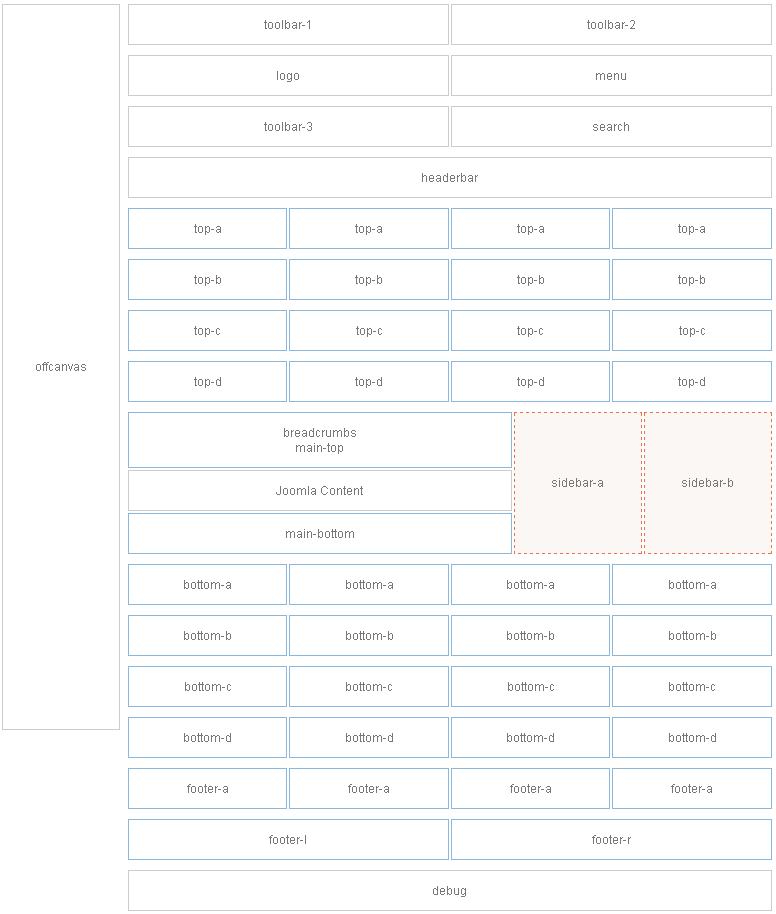
This theme comes with a lot of module positions. The blue module positions allow to choose a module layout which defines the module alignment and proportions:

equal, double or stack.


Column Layout

module-layout

The two available sidebars, highlighted in red, can be switched to the left or right side and their widths can easily be set in the theme administration.

For modules in the blue and red positions you can choose different module styles. Take a look at the module variations page to get an overview.


 Module Positions

module-layout

The general theme section allows you to control the behaviour and the overall appearance of your theme.

Style

The style section contains the customizer. Hit the Customizer button to add your own style or to modify an existing style. After the customizer is loaded, you can easily customize colors, fonts, margins and even more settings of the theme. The customizer saves only the modified variables and automatically compiles them into CSS.


Screenshots

Demo Image Demo Image Demo Image Demo Image

Weitere Beiträge ...

Seite 10 von 11

SV Hösel auf Instagram

Über uns

Der SV Hösel wurde 1948 mit den Vereinsfarben blau und weiß gegründet und ist bis heute ein reiner Fußballverein.
Aktuell besitzt der SVH 461 Mitglieder, darunter 248 Jugendliche in 11 Jugendmannschaften.
Darüber hinaus stellt der SVH 4 Seniorenmannschaften, davon eine Altherrenmannschaft.

Adresse

SV Hösel 1948 e.V.
Postfach 10 61 24
40859 Ratingen

Wir nutzen Cookies auf unserer Website. Einige von ihnen sind essenziell für den Betrieb der Seite, während andere uns helfen, diese Website und die Nutzererfahrung zu verbessern (Tracking Cookies). Sie können selbst entscheiden, ob Sie die Cookies zulassen möchten. Bitte beachten Sie, dass bei einer Ablehnung womöglich nicht mehr alle Funktionalitäten der Seite zur Verfügung stehen.